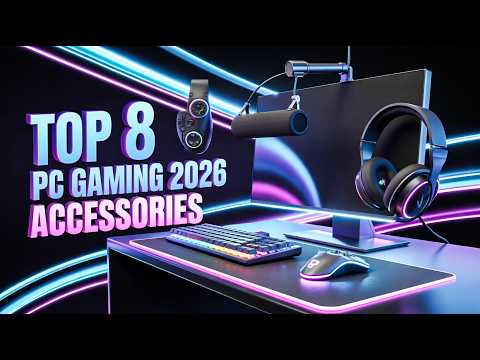
This curated selection features high-performance PC gaming accessories designed for serious gamers looking to optimize their setup for 2026. The products collectively enhance precision, speed, and comfort, addressing the demands of competitive and immersive PC gaming.
Curated by The Dressing Room · Updated June 2026
Built for competitive PC players and professionals who require low-latency inputs and ergonomic hardware that survives multi-year daily utility. Not for casual console-only setups — this shop focuses on high-frequency polling rates and precision-engineered desktop integration.
Curator's pick: Wooting 60HE+ Analog Gaming Keyboard
The hall-effect magnetic switches provide adjustable actuation points that eliminate the physical limitations of traditional mechanical leaves, offering a level of tactile customization and response speed that standard keyboards cannot match. Its compact 60% layout prioritizing desk space and build durability makes it the objective benchmark for rapid-input software environments.
⚠ Worth knowing: High-performance mice like the Superlight 2 Dex and hybrid mats like the Razer Strider are designed for low friction and speed, which can feel unstable to those accustomed to high-control, muddy surfaces. Additionally, the Secretlab Magnus Pro is a heavy, steel-infrastructure investment that requires significant floor space and a permanent location due to its weight and integrated power systems.
Precision Optical Sensors: A Guide to Proper Mouse Grip and DPI ScalingCustom Mechanical Keycaps: Durable PBT and Artisan Sets for 60% BoardsCable Management and Ergonomic Desk Organization for Professional Streams
This shop is built from a curated selection of high-performance PC gaming accessories, specifically chosen to optimize your setup for the competitive demands of 2026. Each product was picked to collectively enhance precision, speed, and comfort during your gaming sessions.
This guide is for serious PC gamers, whether competitive esports players or those who immerse themselves in vast open-world titles, seeking to upgrade their experience. It targets individuals looking to refine their peripheral control, audio immersion, and overall ergonomic setup for extended playtimes.
To get started, focus on the core input devices like the gaming mouse and keyboard. A full build, including a premium desk and advanced peripherals, could range from $2,065 to $2,380.
Full build
$2065–$2380
Starter
$315–$360
mouse + keyboard
Best forCompetitive PC GamingEsports EnthusiastsImmersive GamingStreamers & CreatorsErgonomic Setups
The Logitech G Pro X Superlight 2 Dex is a wireless gaming mouse known for its ultralight design and advanced sensor. It is designed for competitive gamers who require precise tracking and a responsive, comfortable grip during extended play.
Lightweight wireless design (60g)
HERO 2 optical sensor (32,000 DPI)
Optical-mechanical switches
PTFE feet for smooth glide
Up to 95 hours battery life
In this shop: This mouse fits the high-performance PC gaming vibe with its focus on speed, precision, and a minimalist design essential for competitive play.
The Wooting 60HE+ Analog Gaming Keyboard is a compact mechanical keyboard featuring analog switches for variable input. It caters to gamers seeking extreme responsiveness and fine-tuned control over character movement and actions.
60% form factor
Rapid Trigger analog switches
Adjustable actuation points
Double-shot PBT keycaps
USB-C detachable cable
In this shop: The Wooting 60HE+ exemplifies high-performance PC gaming through its industry-leading rapid trigger technology, offering a distinct competitive advantage.
The SteelSeries Arctis Nova Pro Wireless is a premium wireless gaming headset offering high-fidelity audio and active noise cancellation. It targets gamers who prioritize immersive soundscapes and clear communication with the convenience of wireless connectivity and extended battery life.
Dual wireless connectivity (2.4GHz + Bluetooth)
Active Noise Cancellation (ANC)
Hot-swappable batteries
Hi-Res audio certification
Retractable ClearCast mic
In this shop: This headset aligns with the high-performance PC gaming aesthetic by providing professional-grade audio and features crucial for competitive and immersive experiences.
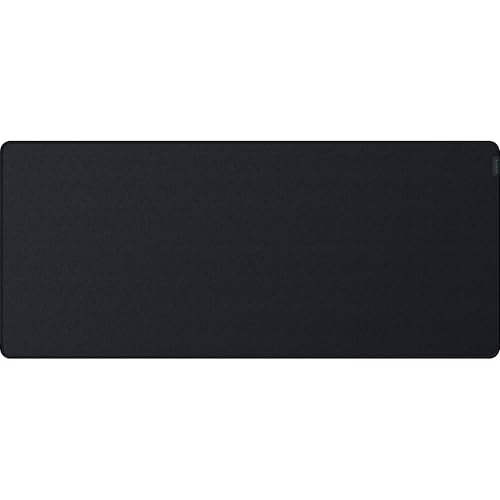
The Razer Strider Hybrid Mouse Mat offers a unique textile surface that balances control and speed. It is suitable for gamers who need a versatile mousing surface that accommodates both fast flick shots and precise aiming across different game genres.
Hybrid soft-hard surface material
Non-slip rubber base
Water-resistant coating
Medium friction for control
Seamless stitched edges
In this shop: The Razer Strider's balanced performance makes it a key component for any high-performance PC gaming setup, ensuring optimal mouse control.
The Elgato Stream Deck MK.2 is a customizable control interface with programmable LCD keys. It is ideal for streamers and multitaskers who need quick access to macros, application shortcuts, and system controls during gaming or content creation.
15 customizable LCD keys
Detachable USB-C cable
Adjustable stand
Integration with streaming software
Multi-action capabilities
In this shop: This device bolsters the high-performance PC gaming experience by providing efficient command over your digital environment, fitting seamlessly into an advanced setup.
The SCUF Envision Pro Wireless PC Controller is a highly customizable gamepad designed specifically for PC gaming. It is for players who prefer a controller but demand the precision and remappable inputs typically associated with keyboard and mouse.
Wireless & wired connectivity
4 remappable paddles
Mechanical click-Dpad
Side 'SAX' buttons
Customizable thumbsticks
In this shop: The SCUF Envision Pro caters to the high-performance PC gaming ethos by offering a controller experience with competitive-grade customization and responsiveness.
The Secretlab Magnus Pro Sit-to-Stand Metal Desk is a robust and feature-rich gaming desk designed for stability and organization. It targets serious PC gamers and professionals who require a durable, height-adjustable workstation with integrated cable management.
Electric sit-to-stand mechanism
Full-surface magnetic cable management
Heavy-duty steel construction
Integrated power supply column
Durable MDF desktop
In this shop: This desk perfectly embodies the high-performance PC gaming vibe by providing a stable, organized, and ergonomic foundation for advanced gaming rigs.
The BenQ ScreenBar Halo Monitor Light is an intelligent lighting solution that illuminates the workspace without glare on the screen. It is designed for gamers and users who spend long hours at their desk and want to reduce eye strain and improve visual comfort.
Asymmetrical optical design
Wireless remote control
Adjustable color temperature (2700K-6500K)
Adjustable brightness
USB-powered design
In this shop: This monitor light supports the high-performance PC gaming environment by optimizing visual comfort and reducing fatigue during intense and prolonged sessions.
This combination offers unmatched input precision and responsiveness, crucial for competitive gaming, through advanced mouse and keyboard technology.
The setup provides superior audio immersion and clear communication, enhancing situational awareness and team coordination during intense gameplay.
Ergonomic considerations, from input comfort to desk adjustability and smart lighting, are integrated to support long gaming sessions without fatigue.
What to know
The premium nature of these accessories means a significant upfront investment, which might be cost-prohibitive for casual gamers or those on a strict budget.
Utilizing the full potential of these advanced peripherals, especially the customizable features and analog inputs, requires a learning curve and configuration time.
How to use this together
1
Set Up Your Core Input Devices
Begin by connecting your Logitech G Pro X Superlight 2 Dex mouse and Wooting 60HE+ keyboard. Ensure the wireless mouse is charged or connect its receiver, and plug in the keyboard. This foundational step is critical as these are your primary interaction points, and proper setup confirms immediate responsiveness for gaming.
2
Optimize Your Display and Lighting
Next, place the Razer Strider Hybrid Mouse Mat on your desk beneath your mouse and install the BenQ ScreenBar Halo Monitor Light on your monitor. Configuring the mouse mat provides an ideal tracking surface, while the ScreenBar reduces eye strain and glare, ensuring visual comfort before you dive into any game settings.
3
Integrate Audio and Desk Environment
Finally, connect your SteelSeries Arctis Nova Pro Wireless headset and, if applicable, set up your Secretlab Magnus Pro Sit-to-Stand Metal Desk. The headset provides immersive audio and clear comms, while the desk offers a stable, height-adjustable, and organized foundation for your entire setup. This step completes the physical and auditory environment, pulling everything together for your gaming experience.