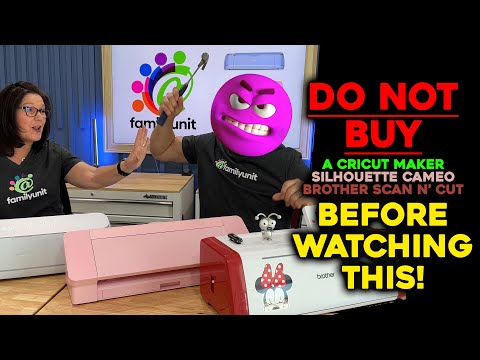
This bundle compares electronic cutting machines from leading brands like Cricut, Silhouette, and Brother. It is designed for crafters and hobbyists who are looking to invest in a machine for custom designs and projects. The products collectively help you understand the options available and choose the best machine for your specific crafting needs.
Curated by The Shelf Curator · Updated June 2026
Built for creative professionals and hobbyists who need precise automated cutting for vinyl, fabric, or cardstock projects. Not for industrial manufacturing scale—this shop focuses on desktop units capable of high-detail custom output.
Curator's pick: Brother ScanNCut DX SDX125
This unit distinguishes itself through the integrated 600 DPI scanner, eliminating the requirement for external design software or constant Bluetooth pairing. It is the most efficient choice for users who prefer to convert physical drawings or printed images directly into cut paths without a computer intermediary.
⚠ Worth knowing: Proprietary software ecosystems like Cricut Design Space require a stable internet connection for most functions, which can lead to operational delays during server outages or in low-bandwidth environments. Additionally, blade longevity varies significantly based on material density, so stocking replacements is a mandatory maintenance cost.
Graphic Design Tablets and Stylus PensHeat Press Machines for Custom ApparelProfessional Archival Sticker Paper and Vinyl Stocks
This shop is built from a comparison of electronic cutting machines from industry leaders Cricut, Silhouette, and Brother. It aims to demystify the choices for crafters and hobbyists looking to enhance their custom design projects.
This guide is for any crafter, DIY enthusiast, or small business owner considering a cutting machine for home or professional use. Whether you're making custom decals, apparel, or intricate paper crafts, this selection helps clarify which machine best fits your specific needs.
To approach your budget, consider starting with a basic model like the Silhouette Portrait 3 to get acquainted with the technology. A full, professional-grade setup could range from $600 to $1000, depending on the machine and accessories chosen.
Full build
$599–$909
Starter
$179–$215
Silhouette Portrait 3 + Mat/Blade
Best forCustom Design CreationCrafting EnthusiastsSmall Business OwnersDIY Project MakersPersonalized GiftsMaterial Exploration
The Cricut Explore 3 is a versatile electronic cutting machine suitable for everyday crafting projects. It quickly cuts over 100 materials, including popular ones like vinyl, iron-on, and cardstock, making it ideal for a wide range of hobbyist applications.
Cuts over 100 material types
Compatible with Cricut Smart Materials
Up to 2x faster than previous model
Max cut length: 12 feet
In this shop: This Explore 3 model fits the 'Cricut Silhouette and Brother Electronic Cutting Machines' vibe as a prime example of a balanced, everyday hobbyist cutting machine from Cricut.
The Cricut Maker 3 is a professional-grade electronic cutting machine designed for serious crafters and small businesses. It offers expanded material compatibility and tool options, allowing for more intricate and diverse projects than standard models.
Cuts over 300 material types
Compatible with Cricut Smart Materials
Adaptive Tool System
Up to 2x faster than Maker 2
Max cut length: 12 feet
In this shop: The Maker 3 exemplifies the 'Cricut Silhouette and Brother Electronic Cutting Machines' vibe as Cricut's flagship model, offering advanced capabilities for diverse crafting needs.
The Silhouette Cameo 4 is a desktop cutting machine known for its powerful software and dual carriage system. It is designed for crafters who need precision cutting and a wide range of material handling capabilities, including thicker materials.
Built-in roll feeder
Built-in crosscutter
3mm clearance for thicker materials
Dual motor system
Automatic tool detection
In this shop: This Cameo 4 model provides a strong comparison point within the 'Cricut Silhouette and Brother Electronic Cutting Machines' vibe as a direct and capable competitor to Cricut's offerings.
The Silhouette Portrait 3 is a compact electronic cutting machine, ideal for smaller crafting projects and limited workspaces. It offers the same precision as larger Silhouette machines but in a more portable form factor.
Compact 8-inch cutting width
Matless cutting capability
Bluetooth connectivity
Automatic tool detection
In this shop: This Portrait 3 reinforces the 'Cricut Silhouette and Brother Electronic Cutting Machines' vibe by showcasing Silhouette's offering for smaller-scale, more portable crafting.
The Brother ScanNCut DX SDX125 is an electronic cutting machine distinguished by its integrated scanner. This feature allows users to scan drawings or patterns directly into the machine for cutting or drawing, offering unique creative possibilities.
Built-in 600 DPI scanner
Auto blade sensor technology
Cuts materials up to 3mm thick
Wireless LAN connectivity
In this shop: The ScanNCut DX SDX125 fits the 'Cricut Silhouette and Brother Electronic Cutting Machines' vibe by representing Brother's unique approach with integrated scanning capabilities.
The Brother ScanNCut DX SDX225 Disney Edition is a high-end electronic cutting machine featuring licensed Disney designs and advanced functionalities. It combines the built-in scanner with exclusive content, appealing to fans and serious crafters alike.
Built-in 600 DPI scanner
1435 built-in designs, 132 Disney
Auto blade sensor technology
Cuts materials up to 3mm thick
Wireless LAN connectivity
In this shop: This DX SDX225 Disney Edition reinforces the 'Cricut Silhouette and Brother Electronic Cutting Machines' vibe by highlighting a premium, specialized offering from Brother.
The Cricut StandardGrip Machine Mat is an essential accessory for securing materials during the cutting process with Cricut machines. Its adhesive surface holds standard-weight materials in place to ensure precise cuts.
12" x 12" surface area
Standard adhesion level
For medium-weight materials
Reusable with proper care
In this shop: This StandardGrip mat is necessary for effective use of the Cricut machines, aligning perfectly with the 'Cricut Silhouette and Brother Electronic Cutting Machines' vibe by supporting the core products.
The Silhouette AutoBlade Replacement Blade is a crucial consumable part for Silhouette Cameo series cutting machines. It automatically adjusts to the correct blade depth based on the material selected in the software.
Automatic depth adjustment
Durable cutting edge
For use with Cameo series
Easy installation
In this shop: This AutoBlade replacement is vital for maintaining the functionality of Silhouette machines, making it a fitting inclusion in the 'Cricut Silhouette and Brother Electronic Cutting Machines' vibe.
This selection offers comprehensive insights into the unique strengths and features of each major cutting machine brand, allowing for an informed purchase.
The variety of machines caters to different budgets and project complexities, from basic hobby use to advanced professional applications.
Understanding these comparisons helps crafters choose a machine that integrates seamlessly with their desired materials and software ecosystems.
What to know
The initial investment for a high-end machine and its accessories can be substantial, requiring careful consideration of your crafting frequency and output.
Each brand has its own software, which may require a learning curve and could make switching between machines less straightforward for some users.
How to use this together
1
Evaluate Your Crafting Needs
Before selecting a machine, assess your primary crafting goals. Do you need portability like the Silhouette Portrait 3, or heavy-duty cutting like the Cricut Maker 3? Understanding your material preferences and project scale will narrow down the best options.
2
Compare Features and Software
Review the distinct features of each machine, such as the Cricut Explore 3's versatility, the Silhouette Cameo 4's powerful software, or the Brother ScanNCut DX's integrated scanner. Consider how each machine's software aligns with your design workflow.
3
Consider Accessories and Consumables
Factor in the cost and availability of essential accessories like the Cricut StandardGrip Machine Mat or the Silhouette AutoBlade Replacement Blade. These ongoing costs are important for maintaining your machine and ensuring continuous crafting.
4
Set Up and Calibrate Your Machine
Once you've chosen, carefully follow the manufacturer's instructions for initial setup. Proper calibration, especially for blade depth with items like the Silhouette AutoBlade, is crucial for achieving precise cuts and getting the most out of your machine.
5
Start with Basic Projects
Begin with simpler projects to familiarize yourself with the machine's capabilities and software. This helps build confidence before tackling more complex designs, ensuring a smoother learning curve and better results.